

• Rendering 3D Shapes

    As of now, the Sandbox project can do the following:

    • Use SDL to open a window with an OpenGL context.
    • Define shapes via hardcoded arrays of vertices, texture coords, and indices.
    • Alternatively, load a more complex shape from a glTF file exported from Blender.
    • Draw multiple shapes, and multiple instances of each shape, on the screen.
    • Load a texture atlas from a .png file and apply a different texture to each object.
    • Move the camera and/or objects independently in 3D space.
    • Respond to keyboard and mouse input.
    • Render a skeletal animation defined by the glTF model.

    What’s Next

    I’ve decided to turn this project into a 3rd person shooter. To complete it, I first need to learn more about animation, lighting, and sound. After that, it will be a matter of designing things like menus, levels, weapons, and enemies.

    Demonstration

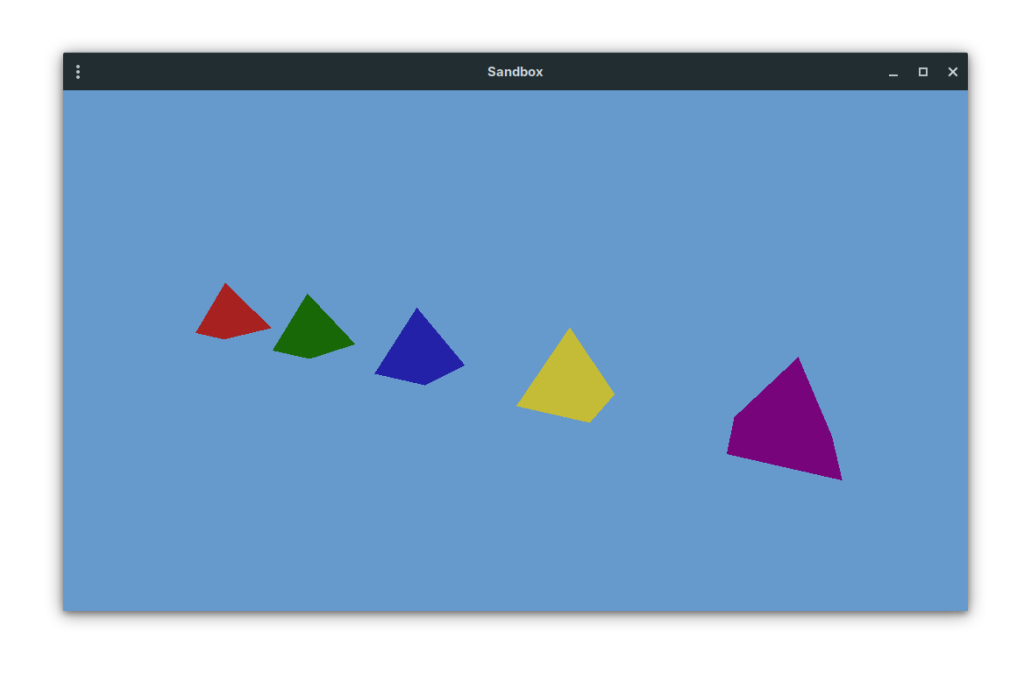
    Here is a screenshot of the application with some basic shapes being drawn inside the window.
    And here is an example of an animated character model.
  • First Project

    The first programming project I’ll be doing here is an introduction to game development with C and OpenGL. I want it to be a minimal example of how to draw shapes on the screen and respond to input. After that I will move on to another project.

    The code is available here:
    https://git.birdideas.net/var/Sandbox

  • Why Self-Host?

    Why not post blogs on social media, push code to GitHub, and livestream on Twitch? Well, I might do all of that too. Those mainstream platforms can help build an audience.

    But this is so much fun. I’m learning a lot by hosting things on my own server, and I hope I can share what I learn with others. Plus I get to choose which software runs on the back-end and even customize things.

  • How to make a website like this one

    This is a quick overview. I will explain in more detail later.

    • Obtain a server. This one is a virtual private server (VPS) provided by DigitalOcean.
    • Buy a domain name. This one is provided by Squarespace. Set DNS records to point to the IP address of the VPS.
    • Install software.
      • LAMP stack: Linux, Apache, MySQL/MariaDB, and PHP.
        • Your hosting provider should allow you to choose an OS during setup. This server runs Debian Linux.
        • The other three should be available through your distro’s package manager.
      • Firewall
        • Install ufw.
        • By default, deny incoming and allow outgoing.
        • Allow ssh, http, https.
      • WordPress
        • This is a content management system (CMS). It helps you build a general purpose website or blog.
        • Download the latest version and extract to a directory that’s managed by Apache.
        • Configure Apache to direct traffic on the root domain name and www to the WP site.
        • Set up the WP database in MariaDB.
        • Copy and modify the sample wp-config.php file.
        • Set ownership of the entire directory to www-data.
      • Gitea
        • This software can host your git repositories much like Github, but self-hosted.
        • Install as another Apache site under the git subdomain.
        • Create a database in MariaDB.
        • Enable the system service so it runs automatically.
      • Owncast
        • This is free, open source, self-hosted livestreaming server software.
        • Download and extract.
        • Install ffmpeg through your package manager.
        • Manually add to Apache configuration under the live subdomain.
        • Manually create a system service.
        • Open port 1935/tcp.
        • Install OBS on your home PC.
      • Optional: Mail Server
        • While it’s difficult to send emails without being blocked by spam filters, at least it’s easy to receive mail on your VPS. This enables you to register yourself on your WordPress and Gitea instances with a self-hosted email address.
        • Install postfix.
        • Open port 25/tcp.
        • Create a Linux user. Each user can receive mail at username@yourdomain.com.
    • Obtain a free TLS certificate from LetsEncrypt. Use Certbot to install it and automatically modify your Apache config.
    • Finish configuring the installed software.
      • Visit the WordPress site to do initial setup and create an account.
      • Same thing on the Gitea site.
      • Try pushing code to Gitea.
      • Visit the /admin page on the Owncast site. Change the admin password, do customization, etc.
      • Get the stream key and try livestreaming with OBS.
      • Edit /etc/postfix/main.cf. Add TLS certificate info. Set “home_mailbox=Maildir/”. Restart postfix.
  • Welcome

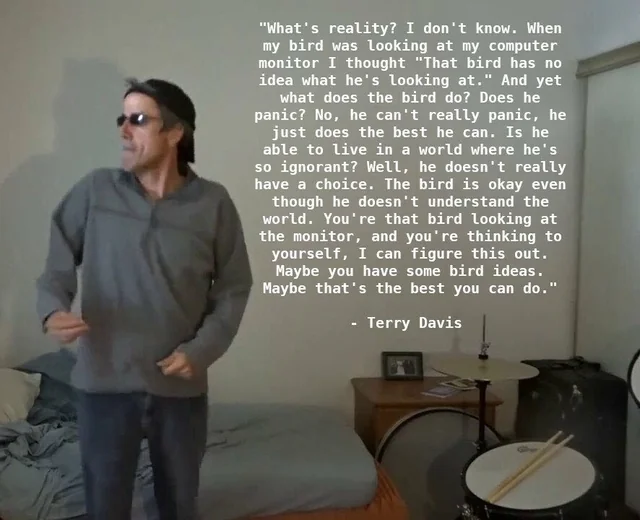
    I will be using this website to share programming projects. The site’s name came from the following quote by Terry Davis, the creator of TempleOS.